

Updating Your Password
After receiving an email with account access details, it's crucial to update your password to ensure account security. Follow these simple steps in order update your password:
- Sign In: Use the credentials provided in the welcome email to sign in to your account.
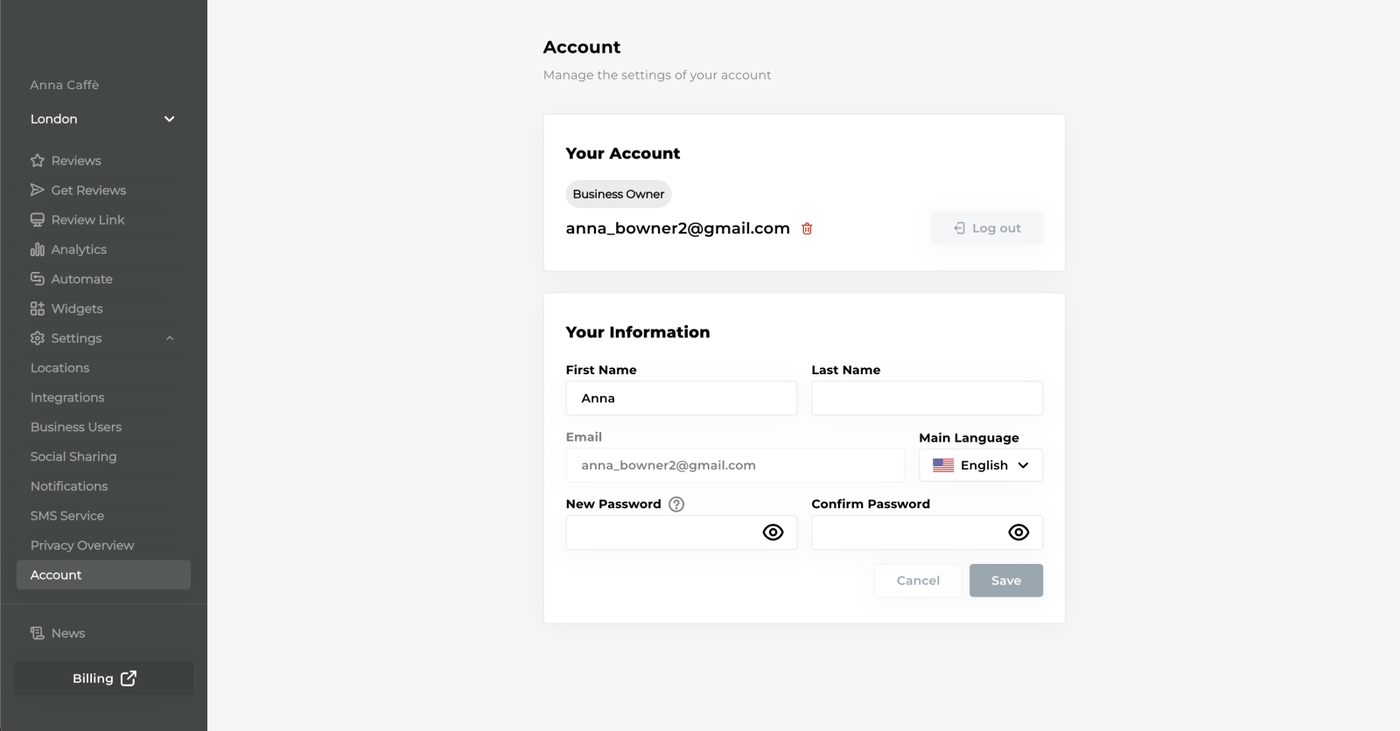
- Navigate to Settings: Once signed in, locate and click on "Settings" in the left sidebar.
- Access Account Settings: Within the Settings menu, click on "Account."
- Set Your New Password: Choose a strong and secure password.
- Confirm Your Password: Repeat the same password in the "Confirm Password" field to ensure accuracy.
- Save Changes: Click the "Save" button to apply the changes and update your password.
Remember to keep your password confidential for your account's safety. Going forward, use your new password to log in to your account.